Image optimization and sizing architecture in 2026
Website image size is no longer just an aesthetic question. In 2026, image optimization directly affects Google rankings, ad revenue, and whether visitors will wait for the page to load at all.
Images account for more than 60% of the total size of an average website. Most site owners upload raw files straight from a camera or phone. That single decision can mean load times exceeding 3 seconds, lower Google rankings, and lost ad revenue. This guide shows you how to build a visual architecture that is competitive in 2026.
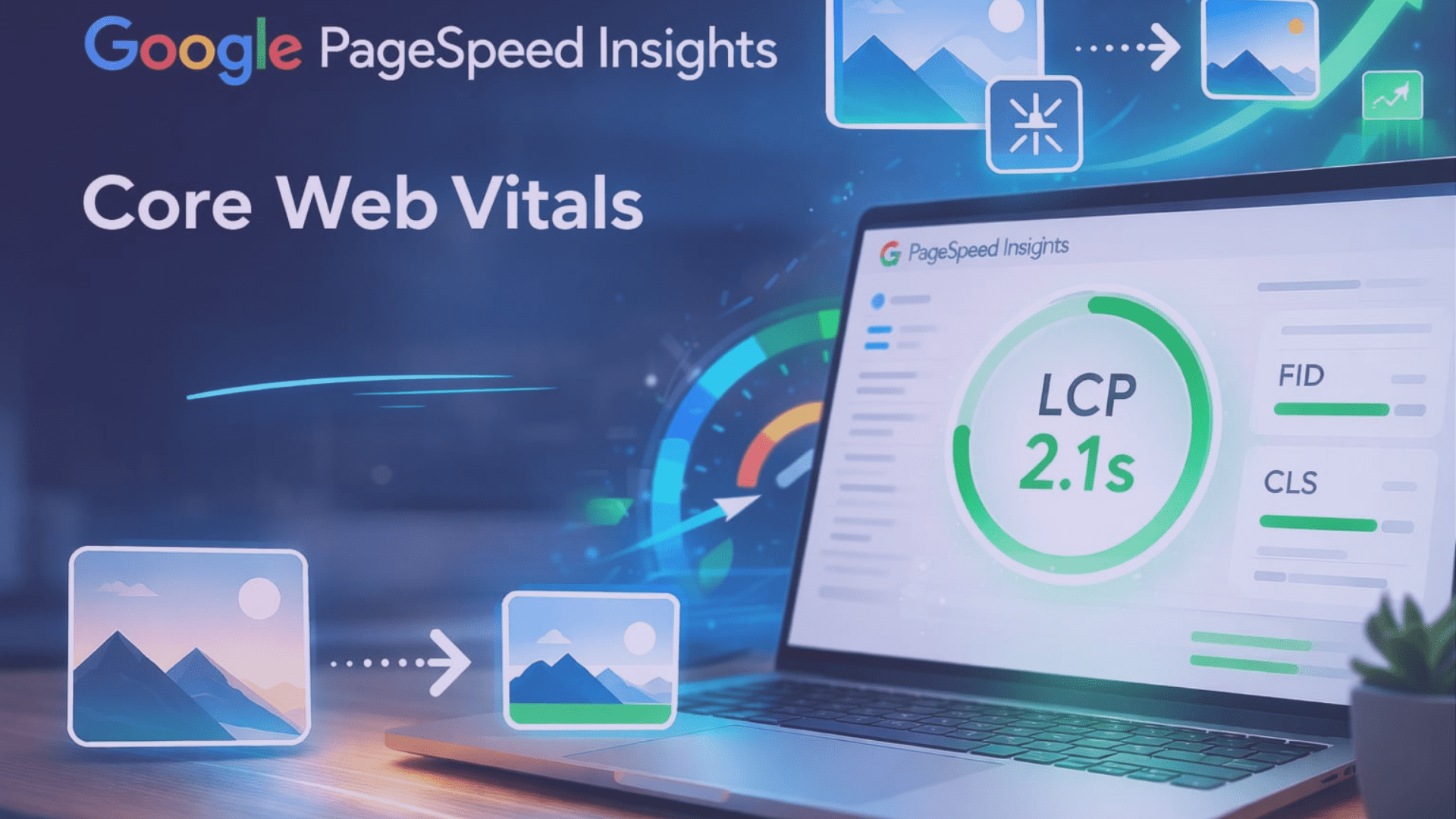
A PageSpeed Insights result from a well-optimized website. A green LCP score almost always comes from handling images correctly.
Why is website image size critical in the Core Web Vitals era?
Google's ranking algorithm treats Core Web Vitals as mandatory thresholds in 2026. Two of the three key metrics, LCP and CLS, are determined directly by image size and optimization. A single poorly sized hero image can single-handedly tank an entire page's performance score.
LCP (Largest Contentful Paint) measures how long it takes for the largest visible element on the page to appear. In most cases, that element is the hero image. If LCP exceeds 2.5 seconds, the site's rankings drop dramatically. Within that same window, 40% of mobile users have already navigated back.
CLS (Cumulative Layout Shift) measures visual stability. If an image shifts the text while loading because width and height attributes are missing, the result is a poor user experience and a weak CLS score. This is the easiest error to fix and yet the most widespread.
INP (Interaction to Next Paint) measures response time to user interactions. Decoding large images can block the browser's main thread, meaning that after clicking a button, the page stays frozen and conversion rates collapse.
| Metric | Target value | Image-related impact |
|---|---|---|
| LCP (Largest Contentful Paint) | < 2.5 s | Hero image weight and compression codec determine the score. |
| CLS (Cumulative Layout Shift) | < 0.1 | Missing dimension attributes cause layout jumps. |
| INP (Interaction to Next Paint) | < 200 ms | Decoding large images can block the main thread. |
| Image file weight (average) | < 100-200 KB | Achievable with WebP/AVIF and 60-70% compression. |
According to Amazon and Walmart measurements, every second of load delay reduces conversions by 1-2%. For an online store, that can mean significant monthly revenue loss. A faster page is not a technical luxury; it is a direct revenue factor.
AVIF, WebP or JPEG? The battle of modern image formats
Choosing the right image format is one of the most important decisions in any image optimization for website strategy. JPEG has dominated the web since 1992, but in 2026 it is already an outdated technology for most use cases.
Derived from the AV1 video codec. Produces files up to 50% smaller than WebP. Supports HDR display and 10-12 bit color depth. Drawback: encoding is slower. Best use: hero images, photographs.
Developed by Google, with practically universal browser support by 2026. 25-35% smaller than JPEG, lightning-fast decoding. Supports transparency and animations. Best use: general UI elements.
The most widely supported format. In 2026 it is relevant only as a fallback for older browsers. Lossy compression, no transparency, no animation. Never upload raw camera JPEGs directly!
The true successor to JPEG, offering lossless transcoding (old JPEG to JXL with no quality loss and 35-60% size reduction). Browser support is still growing in 2026. The present belongs to WebP/AVIF; the future will likely be JXL.
| Feature | JPEG | WebP | AVIF | SVG |
|---|---|---|---|---|
| Compression efficiency | Low | Good | Excellent | N/A (vector) |
| Transparency | No | Yes | Yes | Yes |
| Animation | No | Yes | Yes | Yes |
| 2026 status | Legacy | Default | Premium | Required for logos |
With the <picture> element you can serve AVIF and WebP simultaneously, with a JPEG fallback:
<source type="image/avif" srcset="img.avif">,
<source type="image/webp" srcset="img.webp">,
<img src="img.jpg" alt="...">.
The browser will automatically download the first version it supports.
Standard image dimensions and aspect ratios: What is ideal in 2026?
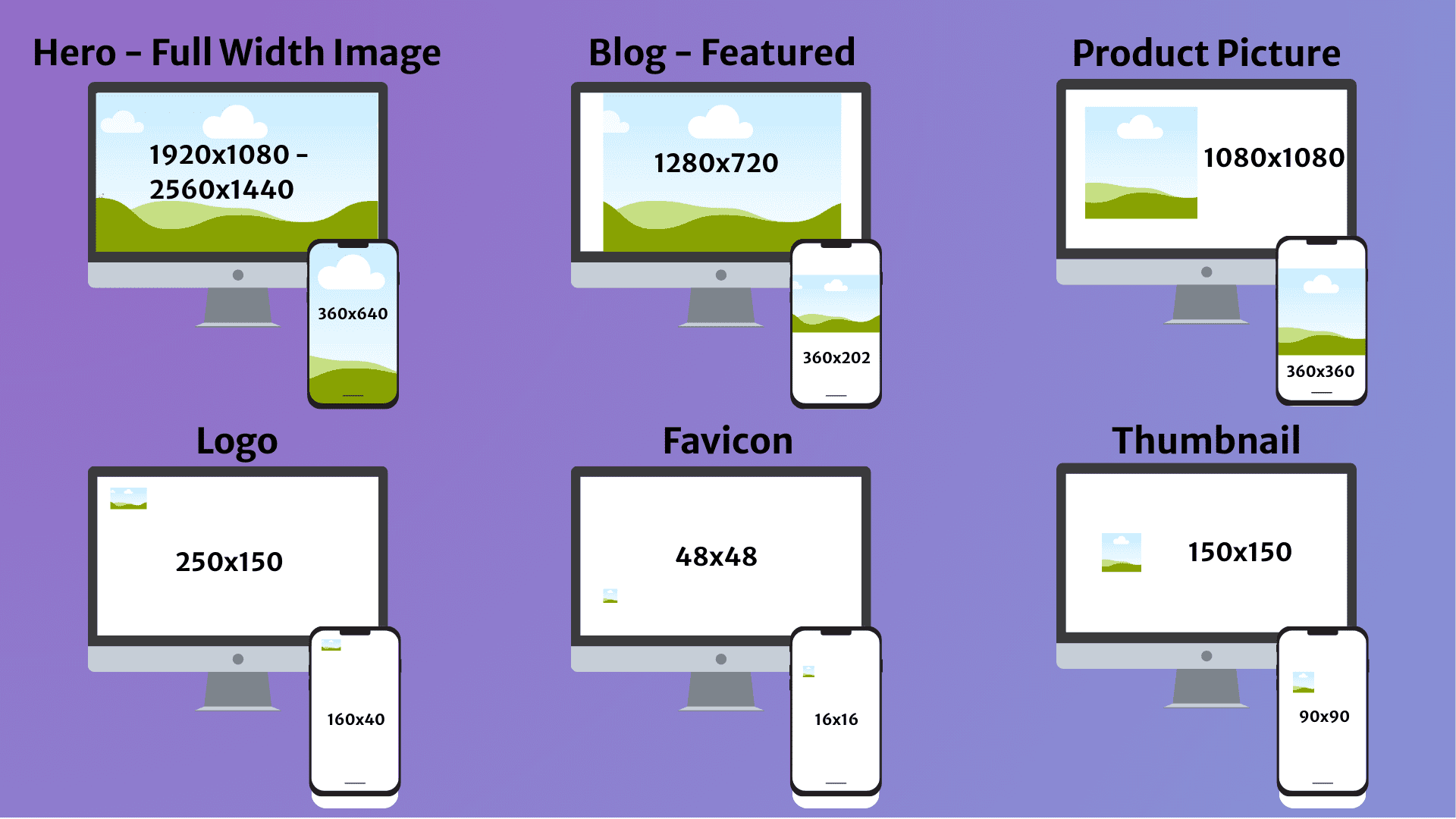
The most common mistake is uploading an 8000-pixel raw photo to a site with a 1200-pixel content width. This wastes storage, slows the page, and is penalized by Google. Pixel dimensions must always be matched to the container size.
| Image type | Desktop size | Mobile size | Aspect ratio | Max file weight |
|---|---|---|---|---|
| Background / Full-width | 1920x1080 px - 2560x1440 px | 360x640 px | 16:9 | 200 KB |
| Hero image | 1280x720 px | 360x202 px | 16:9 | 100-200 KB |
| Blog featured image | 1200x800 px | 360x240 px | 3:2 | 100 KB |
| Product photo | 2048x2048 px | 800x800 px | 1:1 | 300 KB |
| Logo (rectangular) | 250x150 px | 160x40 px | 3:2 / 4:1 | 50 KB (SVG ideal) |
| Favicon | 48x48 px | 16x16 px | 1:1 | 10 KB |
| Thumbnail | 150x150 px | 90x90 px | 1:1 | 20 KB |
Given the spread of 27-30 inch monitors in 2026, it is worth providing 2560-pixel sources for full-width background images. At that size, AVIF format and progressive loading are mandatory, otherwise LCP immediately climbs above 3 seconds.
Responsive image handling: How to serve Retina displays?
Retina and Super AMOLED displays require 2x or 3x density images for sharp rendering. This means an image intended to display at 400 pixels must be provided at 800 or 1200 pixels in the source file. The solution for responsive image handling is combining the srcset and sizes attributes.
<img src="img-800.webp"
srcset="img-400.webp 400w, img-800.webp 800w, img-1200.webp 1200w"
sizes="(max-width: 768px) 100vw, 50vw"
width="800" height="450"
loading="lazy"
alt="Optimized responsive image, website image size demo">
The sizes attribute tells the browser how much space the image will occupy. Based on that information, together with available bandwidth and screen density, the browser selects the most suitable file from the srcset list.
Never apply loading="lazy" to the hero image in the above-the-fold area, as it delays LCP. Instead, use fetchpriority="high", which signals the browser to load this image with priority before other resource downloads begin.
Lazy Loading applies only to images below the fold. These images load only when the user scrolls toward them, dramatically reducing initial page load time and improving the LCP score, because the browser can concentrate on the primary image.
Image SEO and AI: How do Google Lens and AI see your photos?
Visual SEO (image SEO) is no longer just about Google Images in 2026. AI Overviews, Google Lens, and AI Mode have created a completely new ecosystem in which images function as data sources. AI recognizes image content, but structured metadata helps with precise contextualization.
File name: the first signal to Google
The file name must be descriptive and concise. Instead of IMG001.jpg, use: black-leather-mens-boot-optimized.webp. Hyphens separate the words, the keyword integrates naturally, and the Google bot knows from the first moment what the file contains.
Alt text: accessibility and ranking factor
Alt text (the alternative text attribute) serves a dual purpose: it is an accessibility requirement and one of the most important image optimization ranking factors. A good alt description covers the visual in 5-15 words in natural language, incorporating the relevant long-tail keywords.
Long-tail keywords (specific phrases of three or more words) account for 95% of searches in 2026. AI-based search is conversational: users ask, for example, "how to clean split-leather boots at home?". If the alt text and surrounding text content answer that question, the site has a far greater chance of appearing in AI responses.
Image sitemap and structured data
Using an XML image sitemap is recommended, listing all relevant graphics on the site together with their metadata. This increases the chance of appearing in Google Images and in AI Overviews. The schema.org/ImageObject markup makes the image an even more contextualized data source for AI, which is the key to the future of visual SEO.
Practical optimization workflow: From crop to CMS
This is not theory. A 2026 measurement on a red panda photo series confirmed it: for a raw 5150x5150 px, 7.5 MB photo, WordPress generates 7 size variants totaling 11 MB of storage. The full copy set of the optimized 1280 px wide WebP version drops below 500 KB. This 20x storage saving is not just an abstract figure; it shows up directly in real infrastructure costs.
Never upload raw camera files. Crop the image to the intended dimensions: 1280 px for hero images, 1200 px for blog images. Tools: Photopea (free, online), Adobe Photoshop, or GIMP. This single step alone can produce an 80-90% size reduction.
TinyPNG or ImageOptim: these tools remove data the human eye cannot perceive, typically achieving a 70-80% size reduction. Target: under 100 KB for blog images, under 200 KB for hero images.
Convert the compressed file to a modern format. Recommended WordPress plugins: ShortPixel, Imagify, Swift Performance. These convert automatically on upload and also generate a JPEG fallback for older browsers.
Apply loading="lazy" to below-the-fold images and fetchpriority="high" to the hero image. Always specify width and height attributes on every image to avoid CLS issues. Ensure responsiveness with the sizes and srcset attributes.
Facebook shared image: 1200x630 px (1.91:1). Instagram feed: 1080x1350 px (4:5). LinkedIn post: 1200x627 px. X (Twitter) card: 1200x675 px (16:9). YouTube banner: 2560x1440 px (safe zone: 1235x338 px). Vertical Reels/TikTok/Shorts: 1080x1920 px (9:16). Open Graph meta tags ensure the correct image appears when sharing.
Frequently asked questions about website image sizes
srcset attribute allows the browser to download the image with the best resolution and size for the user's device. A Retina-display iPhone downloads a 2x density image, while an older laptop downloads only the base version, reducing unnecessary data transfer and speeding up the page.What tool do you use for image optimization on your website? ShortPixel, Imagify, TinyPNG or something else? Do you have your own proven workflow? Share it in the comments. It would be especially interesting to hear if you use WordPress or Shopify for the HU/RO market and whether you have noticed the effect of AVIF conversion on your LCP scores.
External references and tools
Google Web.dev: Largest Contentful Paint (LCP), detailed technical guide · Google Web.dev: Cumulative Layout Shift (CLS), image dimensions and layout stability · TinyPNG, free online image compressor (WebP, PNG, JPEG) · ShortPixel, WordPress AVIF/WebP conversion plugin · PageSpeed Insights, LCP and Core Web Vitals check · Ahrefs: Image SEO guide, alt text, file name and image sitemap